
Google Business Automation: Streamlining Workflows With Integrated Tools

Workflow integration approaches for Google-focused business automation
Integration choices commonly depend on the desired balance between speed of deployment and control over behavior. Visual connector platforms often enable non-developers to configure event-driven links between a business profile and systems such as customer relationship management or calendar services, while script-based solutions provide direct API access for customized transformations. Many implementations start with a small set of triggers — for example, new customer messages or profile updates — and expand as the team validates outcomes. Typical planning considers rate limits of APIs and how to handle data normalization across varying input formats.
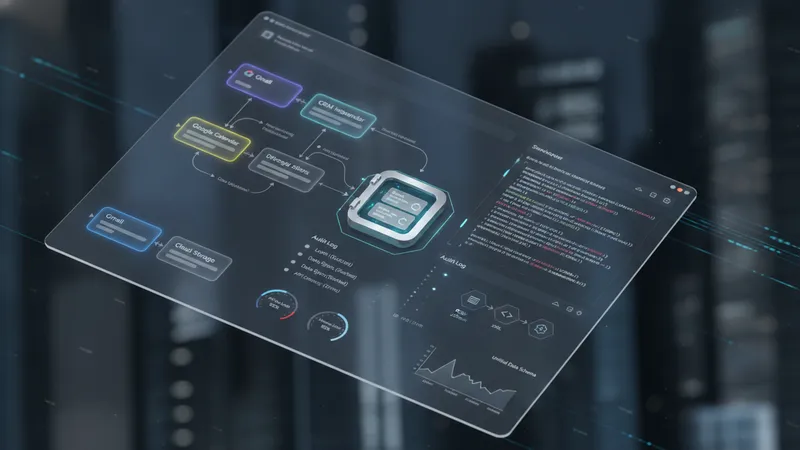
Authentication patterns are a frequent practical detail. OAuth is commonly used for authorising access to Google APIs and third-party services, and token lifecycles must be managed to avoid unexpected expirations. When multiple systems are involved, teams may centralize credential storage with secret management services and grant scoped access to automation processes. This approach can reduce risk by limiting privileges, and it also supports auditing. Configuring refresh logic and monitoring token usage often prevents service interruptions in integrated workflows.
Event-driven versus scheduled execution is an architectural decision that can affect user experience. Real-time triggers may improve responsiveness for messaging and appointment confirmations, while scheduled syncs can consolidate updates to reduce API calls and simplify conflict resolution. Many organizations adopt a mix: event-driven actions for immediate customer interactions and scheduled jobs for bulk reconciliation or reporting. The chosen pattern typically reflects expected throughput and tolerance for eventual consistency between connected systems.
Considerations for maintainability include modular design and clear mapping documentation. Modular workflows let teams update or replace specific steps without affecting the entire sequence, and documenting data mappings helps onboard new maintainers or auditors. Monitoring integrations with synthetic transactions or health checks can signal when an endpoint has changed or when authentication requires attention. These practices may reduce downtime and make it easier to extend automation to additional business processes over time.